
Amazon Echo Show for Video Calls: The Easiest Way to See Family Without a Smartphone
Blog post description.If you've found smartphones, apps and passwords more frustrating than helpful, but you'd still love to see your family's faces regularly, there's an option worth knowing about that doesn't involve a smartphone at all. This guide explains what the Amazon Echo Show is, how the video calling works, and whether it might suit you better than a phone or tablet.
Free Calls for Seniors
7/13/20262 min read
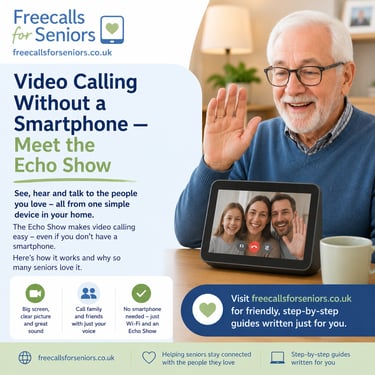
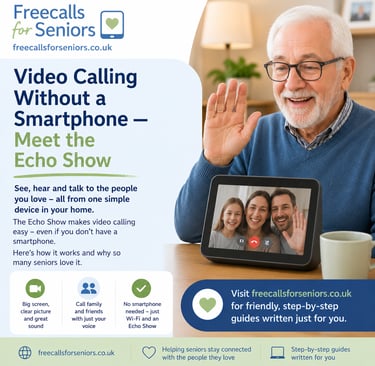
What is an Echo Show?
The Echo Show is a small screen with a built-in speaker, camera and microphone, made by Amazon. It sits on a counter, side table, or shelf, plugged into the wall, and connects to your home Wi-Fi. Instead of tapping icons or opening apps, you simply speak to it, starting with the word "Alexa."
How video calling works
To call a family member, you just say "Alexa, call" followed by their name — for example, "Alexa, call Sarah." As long as that person has the Alexa app on their phone, or their own Echo device, the call connects automatically and you'll see each other on screen, just like a normal video call. There's no need to find a contact list, tap a camera icon, or remember any steps — the whole process is a single spoken sentence.
The "Drop In" feature
One of the most popular features for families is "Drop In." With your permission, a chosen family member can connect to your Echo Show instantly, without you needing to answer anything — a little like someone popping their head round the door to say hello. It's often used by adult children checking in on a parent living alone, giving reassurance without turning every check-in into a formal phone call. Importantly, Drop In only works for people you've specifically given permission to — nobody can simply appear on your screen uninvited.
Who is the Echo Show best suited to?
People who find smartphone apps, passwords, or small buttons stressful or difficult
People who would rather speak a command than navigate a touchscreen
Families where a relative is happy to handle the initial setup, since it usually takes someone comfortable with technology about twenty to thirty minutes
Anyone who wants a hands-free way to answer a call without picking anything up
Where it's less ideal
If you have significant hearing loss and don't use hearing aids that can pair over Bluetooth, sound quality may be a challenge
If you'd rather not have a device with a camera and microphone in the room, a tablet you fully control may feel more comfortable
It depends entirely on a stable home Wi-Fi connection to work
If your main need is joining video medical appointments, a tablet is usually a better fit, since most healthcare video services aren't designed for the Echo Show
Setting one up
Setup is usually best done by a family member, either in person or by talking you through it over the phone. It involves connecting the device to your home Wi-Fi, signing in with an Amazon account, and adding family members as named contacts through the Alexa app on their own phone. Once that's done, you shouldn't need to touch any settings again — you simply speak the name of the person you want to call.
For more guides to video calling options, including FaceTime, WhatsApp, Zoom, and now the Echo Show, visit freecallsforseniors.co.uk.
Free Calls for Seniors
Guides and tips for easy calls
Contact
Subscribe
© 2026. All rights reserved.